Website Redesign for Unity Woods Yoga
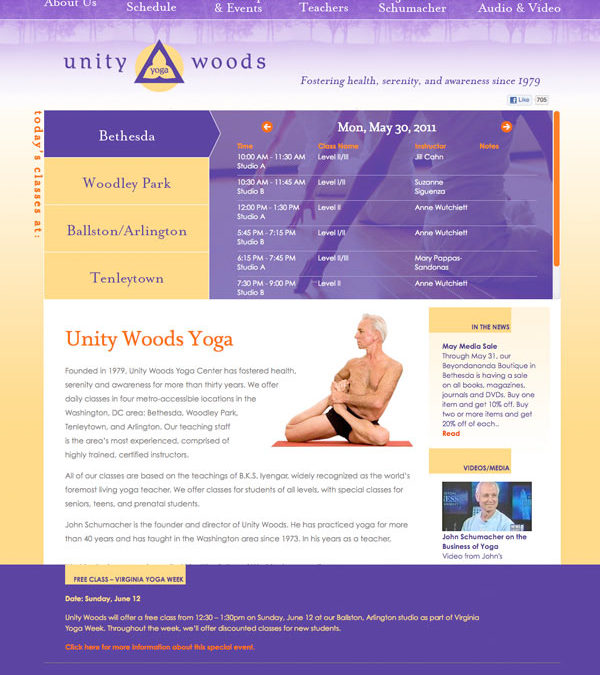
Unity Woods Yoga hired me to design and build a modern website for their four yoga studio locations in the Washington DC area. The client is able to edit 100% of the pages on the website using WordPress, including all homepage content, instructor bios and the blog. Additionally, class schedules are automatically synchronized to a 3rd party yoga class registration web service via XML and attractively rendered using AJAX for super-speedy navigation.

“I engaged Canton for a complete redesign of the website for Unity Woods Yoga. It’s hard to know what to praise first. His expert technical knowledge of WordPress and his creative design advice made the site far more attractive and user-friendly than before. His skill in automating a connection to the studio’s online registration system will save the staff many hours of work each month. I especially appreciate the value he consistently added above and beyond my expectations with extra tweaks and improvements that I didn’t even know to ask for.”
– Sue Lyn Schramm
Marketing / Outreach for Unity Woods
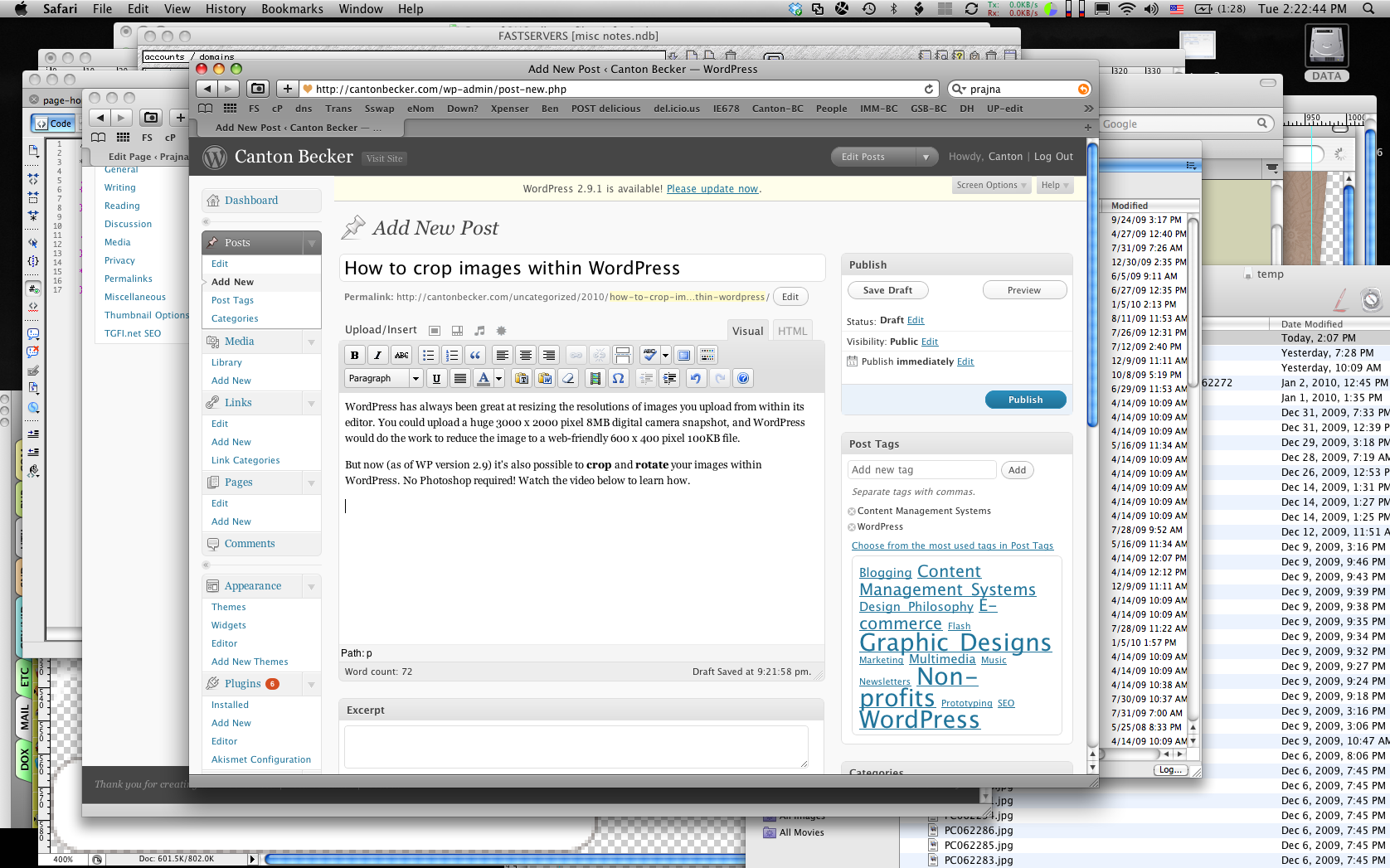
Tutorial: How to crop images within WordPress
WordPress is great for resizing the resolution and file size of images you upload using its editor. If you upload a huge 3000 x 2000 pixel 8MB digital camera snapshot, WordPress will do the work to reduce the image to a web-friendly 600 x 400 pixel 100KB file.
And now (as of WP version 2.9) it’s also possible to crop and rotate your images from within WordPress. No Photoshop required! Watch this video to learn how.
Ottmar Liebert’s Redesign
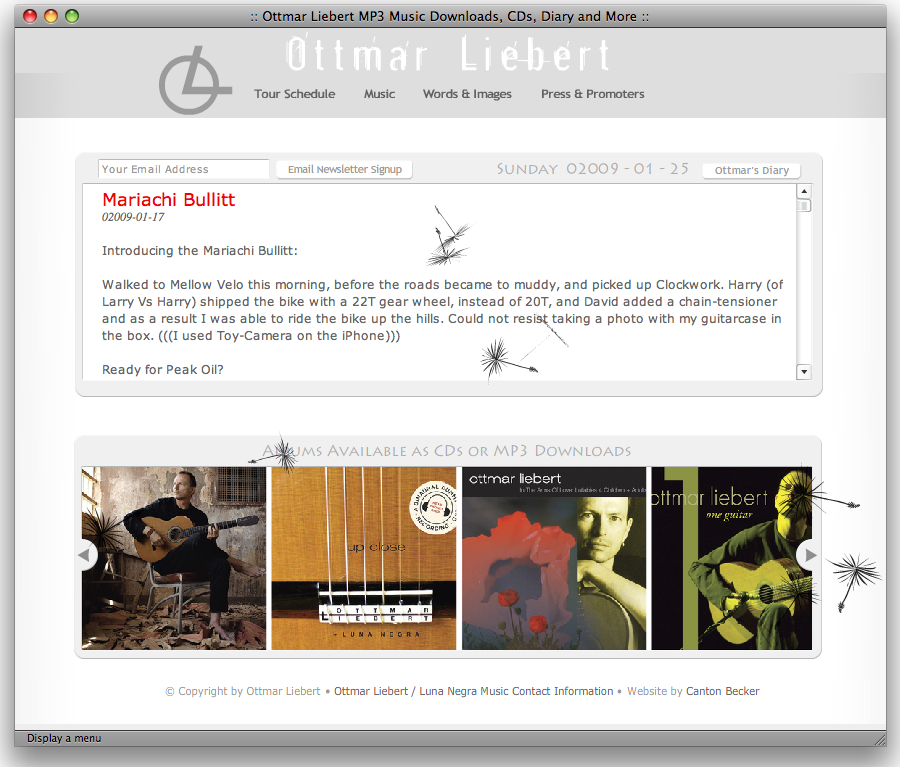
The last time I did a complete redesign for platinum-selling flamenco guitarist Ottmar Liebert was in 1995. By 2008, he was ready for something new and fresh, something that pushed the envelope while staying rooted with his zen-sensibility for elegant, clean, functional design.
The jewel of this redesign is a environmentally sensitive home page which, if left alone for 10 minutes, gets devoured by weeds, vines, bugs…
This fairly huge project included:
- SEO-friendly flash
- A wordpress diary that goes back 12 years
- A record label
- An MP3 downloads shopping cart.
Redesign for The Greenlining Institute
I’m very pleased to announce the redesign and redeployment of greenlining.org.
Associate Director Orson Aguilar at Greenlining hired me to make a brand new website, following a look and feel sketched out by their designer. They needed a customized content management system that would make it easy for them to update their news, videos, publications, and policy initiatives. Everything needed to be database-driven, from the home page to the staff list to the news area.
Highlights
- Videos are automatically embedded and synchronized with content uploaded to YouTube™
- Images and all other content on the website can be edited using a web browser. No need to photoshop images to scale or crop them, no need to create PDF previews. It’s all done on the fly.
- PDFs, videos, and news articles are all tagged with the policy initiatives they relate to, so the policy pages stay fresh and up-to date whenever new content is added.
- Seamless integration with PHPList for the ability to send email newsletters to 1000′s of subscribers.
About the Client
The Greenlining Institute’s mission is to empower communities of color and other disadvantaged groups through multi-ethnic economic and leadership development, civil rights and anti-redlining activities. They’ve made financial institutions like the Bank of America and Wells Fargo commit to investing over $900 billion (over 10 years) to help the communities they serve.
New Donations System for Upaya.org
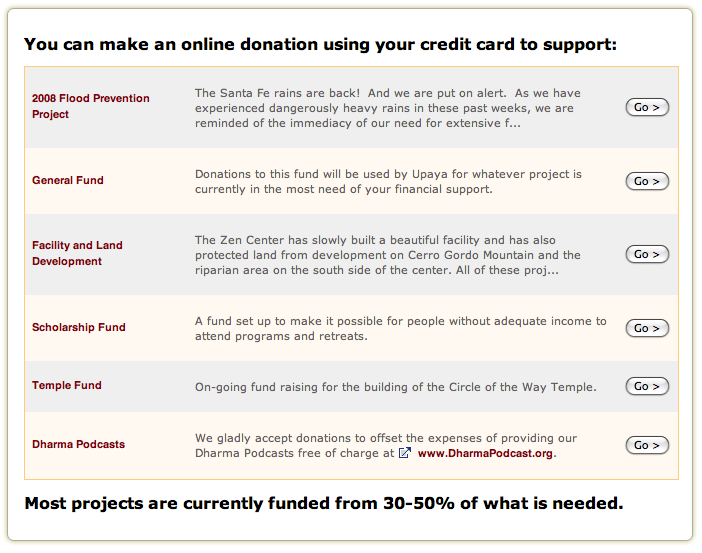
The Challenge: The Upaya Institute relies on donations to support a variety of projects, and using PayPal for donations has turned out to be expensive and difficult to track. Upaya needs to be able quickly manage and prioritize a list of funds, and make it easier for donors to make contributions.
The Solution: We decided to replace Upaya’s PayPal donation button with a dynamic funds editor that deposits donations straight into a bank account. Donors can specify what funds they want to support, and Upaya’s accountant can easily see what donations have been made each day. Try it out on upaya.org.
This is a 3.5 minute tour of the public side of this system (for making donations) and the administrative side (for managing donation campaigns and retrieving results.)